Make it yours
Characters, user personas, prompt presets, themes, accents, density, width, typography, and custom CSS.
Personal WebUI is a calm, flexible home for local models and OpenAI-compatible providers. Move from a clean everyday chat to a companion, story room, image studio, or lightweight code workspace without giving up control of your data.
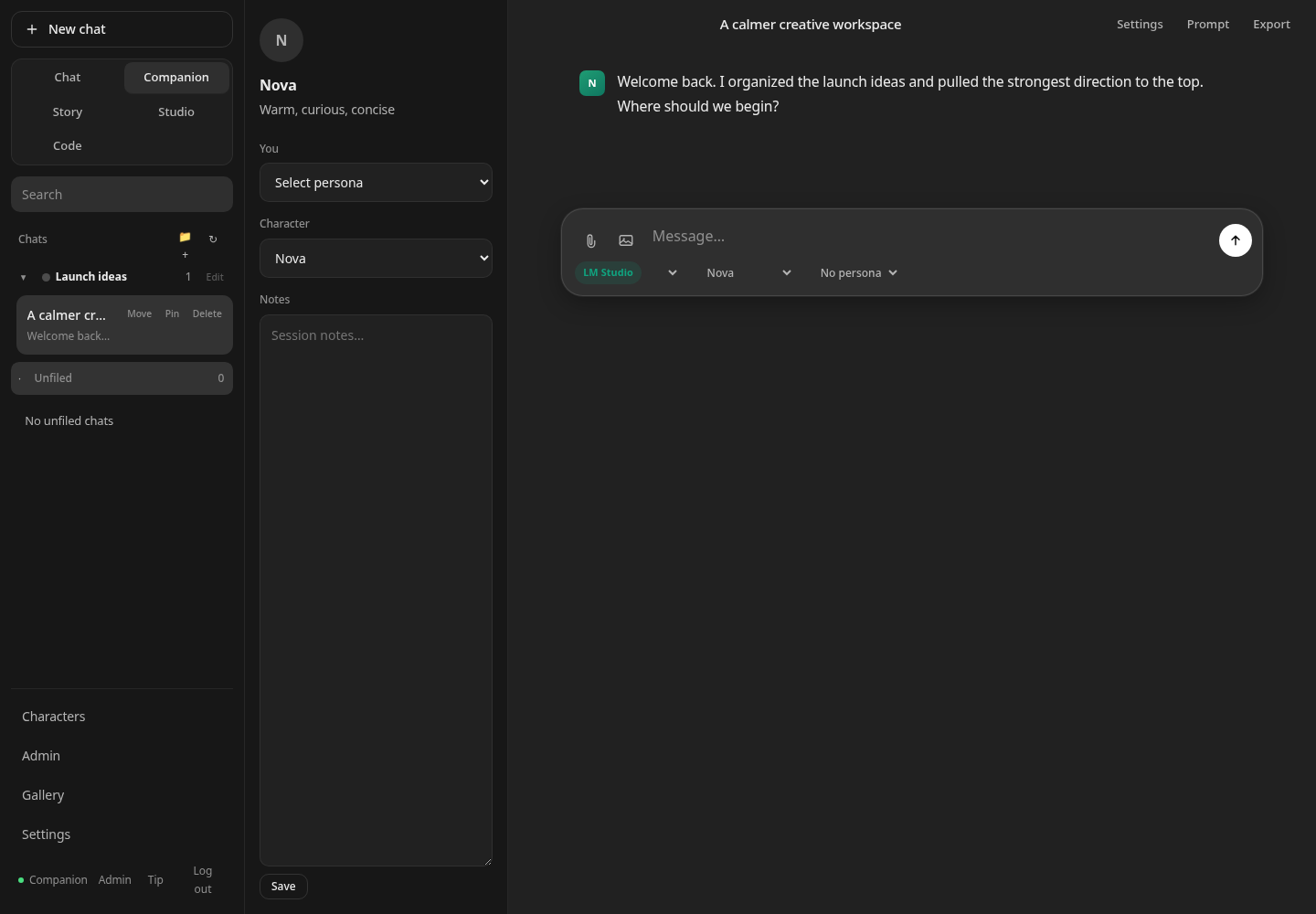
Each mode changes more than a label. It brings the right layout, defaults, tools, and prompts forward while every conversation stays easy to organize.
The details that make a private chat useful after the first weekend are already here.
Characters, user personas, prompt presets, themes, accents, density, width, typography, and custom CSS.
Folders can carry their own system style and model defaults. Pin, search, move, branch, regenerate, and export conversations.
Use DeepSeek, LM Studio, Ollama, or another OpenAI-compatible endpoint. Provider keys stay server-side.
Optional multi-user accounts isolate each person’s chats, settings, library, workspaces, and media.
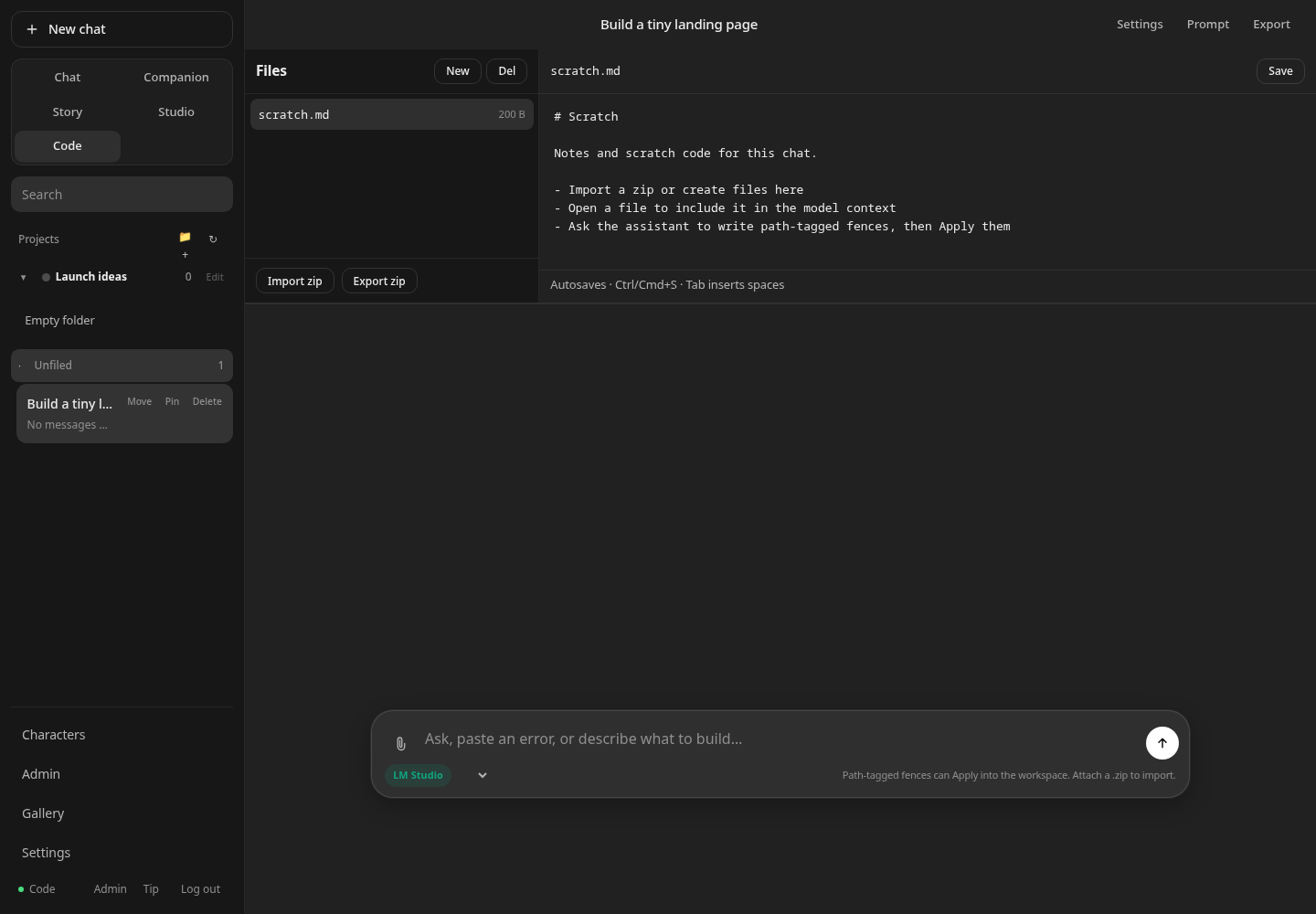
Code mode uses per-chat sandboxes, bounded ZIP imports, path-safe writes, copyable fences, and explicit Apply actions.
Password login, scrypt hashing, durable private sessions, same-origin mutation checks, and localhost or Tailscale-first guidance.
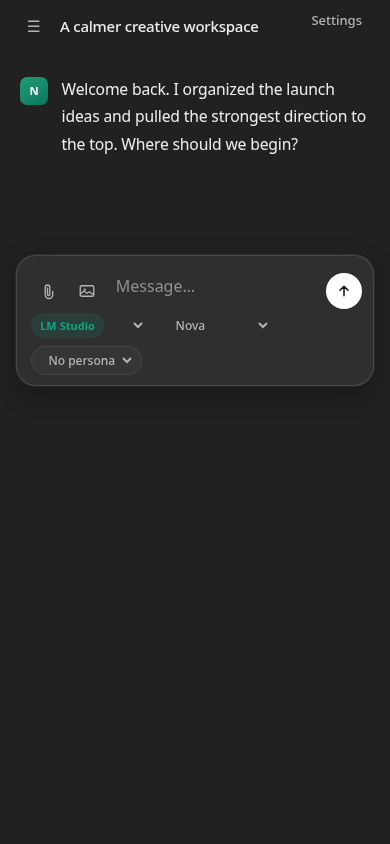
Code mode turns a conversation into a small project room. The responsive chat keeps controls reachable when you connect over your private Tailscale network.
Personal WebUI requires Node.js 20 or newer and no npm packages. Clone it, choose a private bind address, configure an OpenAI-compatible provider, and start.
git clone https://github.com/Pedregoneric/personal-webui.git
cd personal-webui
./scripts/setup.sh
npm start
Bind to 127.0.0.1 or a private Tailscale address. This is a trusted personal or household tool—not a public multi-tenant service.
No license key, paid tier, feature unlock, or required account. If Personal WebUI earns a permanent place on your machine, an optional one-time tip helps fund fixes and polish. Skipping it changes nothing.